Why Scope's Workflow Builder is a node graph
The real pain users hit in Scope's classical UI was composition. Combining a generation model, frame interpolation, community nodes, and hardware controllers into one pipeline was harder than it needed to be. Here's why we moved to a node graph.
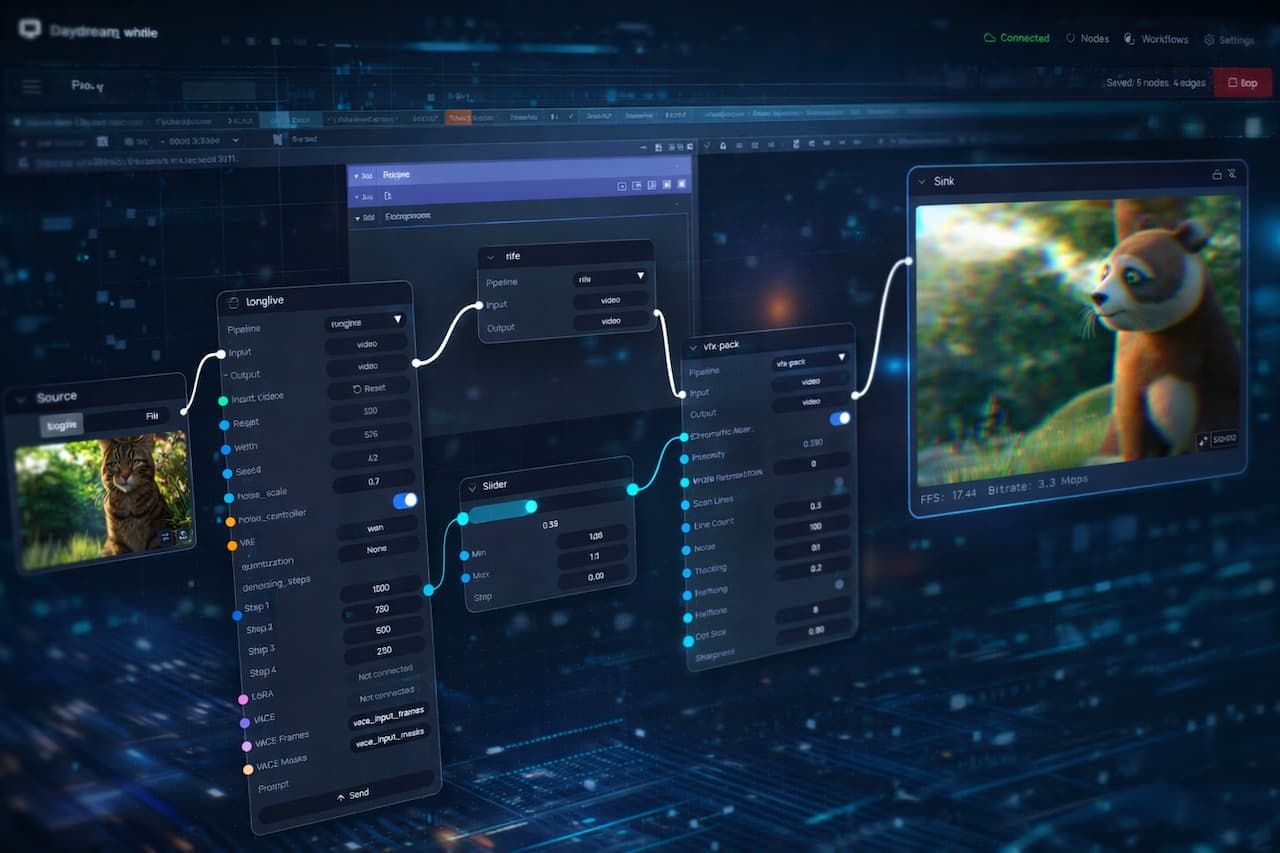
There's a recurring pattern in how people hit the ceiling in Scope. Someone has a generation model running, but running the model is only the first layer of what they actually want to build. Frame interpolation stacks on top so the frame rate lands in the live-performance range. A community-built visual-effects node layers over the interpolated output. A slider gets wired through a MIDI controller so effect intensity can move under a performer's thumb during a set. The whole graph feeds a sink for output and a recorder for capture, and any node in the stack needs to be swappable without tearing down the rest.
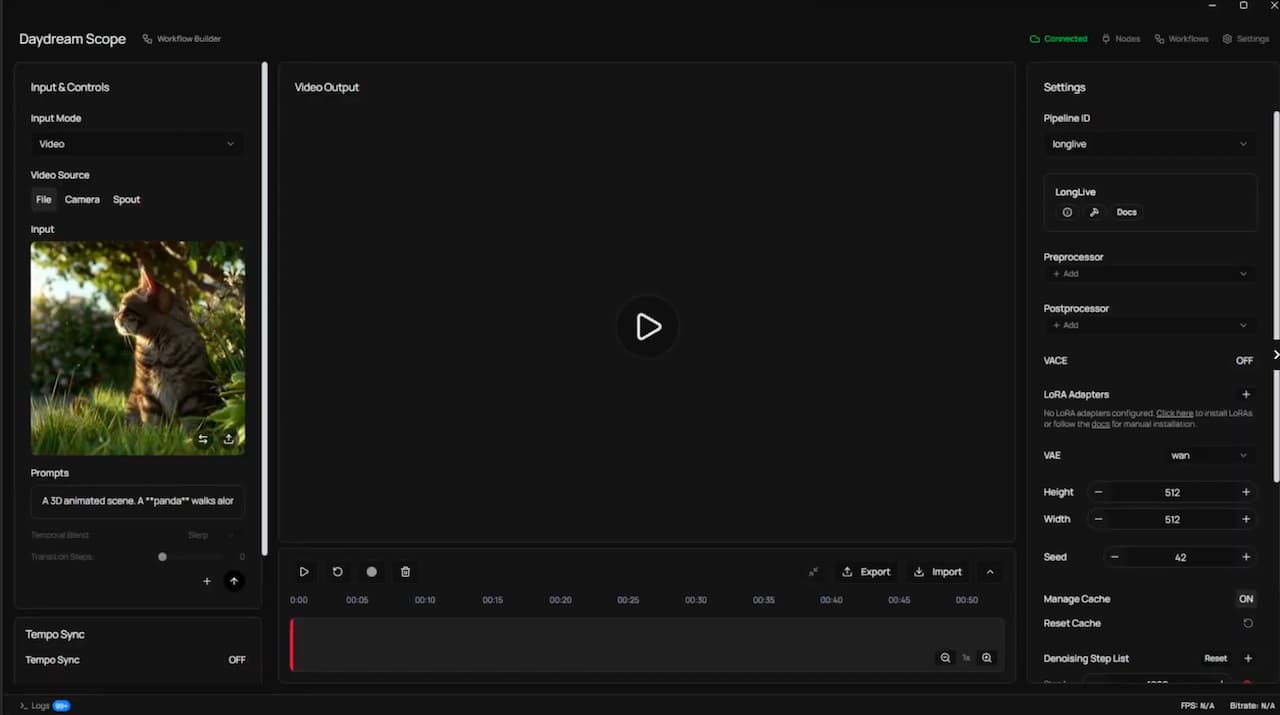
In Scope's original interface (what we now call Perform mode), most of this was possible. It just wasn't easy. Combining capabilities meant moving between panels, reasoning about which setting affected what, and keeping the shape of the pipeline in your head the whole time. Users were describing what they wanted with their hands: this goes into that, and then that goes into this, and this one controls that. They were drawing a graph. The interface wasn't letting them.
That is the problem the Workflow Builder is solving, and it's a problem about composition rather than description. Users weren't struggling to explain their pipelines after the fact. They were struggling to build them in the first place because combining capabilities was harder than it needed to be.
Why node graphs, specifically
This isn't a novel realization. The creative-tooling ecosystem has been converging on node graphs for a long time across every domain that deals with composable dataflow: Houdini for procedural VFX, Nuke for compositing, TouchDesigner for real-time interactive media, Unreal's Blueprints for game logic, Max/MSP and Pure Data for audio, Blender's geometry and shader nodes, Substance Designer for materials, and ComfyUI for diffusion-model image generation. In every one of those domains, the node graph replaced or grew alongside more panel-driven alternatives, and in every one of those domains it won on the same argument: the graph IS the program.
That is worth slowing down on.
In a conventional UI you have two layers. There is what the system is actually doing, which is a graph of processing stages with data flowing between them. And there is how the UI asks you to reason about it, which is a stack of panels, toggles, sliders, and menu items that you have to mentally compile into the underlying graph. Every change requires translation: I want the model output to feed into the interpolator, which means I need to find the right panel, enable the right toggle, and trust that the plumbing is happening somewhere I can't see.
A node graph collapses those two layers. The thing you draw is the thing the system runs. Your mental model and the system's representation are the same object, which means the cognitive overhead of "how do I tell the tool what I want" goes away. You want the interpolator to sit between the model and the output, you drag an edge from one to the other. There is no step in between.
This is the argument people make when they explain why they moved to ComfyUI from Automatic1111 for anything serious. ComfyUI is often less approachable than Automatic1111 at first glance. The wins show up in what it lets you compose: every operation (text encoding, sampling, VAE decoding, conditioning) is a node, dependencies are explicit, and composition becomes mechanical rather than interpretive. You swap a sampler without rebuilding the session. You stack a second LoRA without figuring out where in the panel it lives. You export the workflow as JSON and someone else runs the same thing exactly.
Real-time AI video has the same underlying shape. It's dataflow. Frames move from a source, through a generation model, through post-processing, into a sync or a record node. Control signals move from sliders, MIDI hardware, audio analyzers, and scheduler triggers into the parameters of the nodes they modulate. It is a graph under the hood regardless of what the UI looks like. The question was whether Scope's interface was going to reflect that or keep hiding it.
What the Workflow Builder actually is
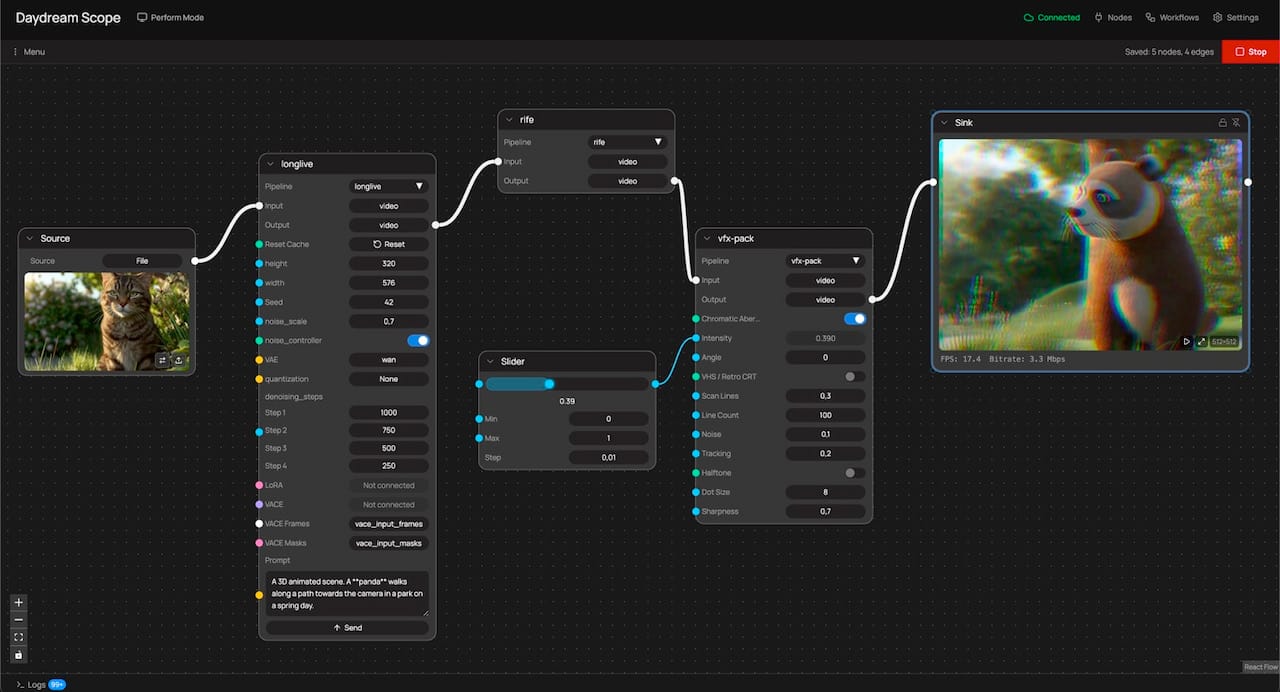
The Workflow Builder shipped as Scope's default mode in v0.2.0 (late March 2026). It's a canvas with more than twenty node types spanning sources, pipelines, sinks, LoRAs, subgraphs, scheduler, tempo, MIDI, prompt list, prompt blend, math, control sliders, image, record, and output. Color-coded handles encode type compatibility at a glance: cyan for numeric values, amber for text, orange for triggers, green for booleans. What you build in the canvas is the pipeline. There is no separate configuration the canvas is describing. Hit Play and the graph executes. Change a connection and the change is live.
The processing itself is the same processing that Scope has always offered. Several built-in pipelines, multiple nodes such as rife for frame interpolation, and community-built nodes published to the node registry. The Workflow Builder is adding capability, but equally important, it is making composition easy across capabilities that were already present.
A concrete example gives a sense of it. Start with a file or camera source. Wire it into LongLive for the generation stage. Stack rife downstream and you'll often move from around 13 FPS to the low 20s, which matters a lot for live work. Add a community-built VFX pack and pick one of its effects, chromatic aberration for example. Drop a slider node in, wire its output to the effect's intensity, and the slider becomes the live control surface for that parameter. Connect the final output to a sync so you can see it running, and add a record node so the output lands on disk. Six nodes, one screen.
Then change it. Swap LongLive for StreamDiffusionV2 without touching anything downstream. Add a Scheduler node that fires prompt changes at specific time points. Wire a MIDI CC handle into a Math node and then into a model parameter so a knob on your physical controller modulates a variable during a performance. Collapse your generation-plus-interpolation chain into a subgraph and reuse it across different output setups. That composition work was hard in the panel UI and is straightforward in the graph.
What it unlocks for the broader picture
The composition argument matters beyond any individual pipeline. When the interface is a graph, the community artifact becomes the graph itself. A workflow built by one person exports as a .scope-workflow.json file, lands on daydream.live, and someone else runs the exact same composition. Tuned patterns get packaged, shared, and remixed. Hardware integrations (OSC, MIDI, DMX, Syphon, Spout, NDI) become nodes alongside everything else, rather than separate configuration surfaces (still some work to be done around that). Live performance becomes the native use case because the graph you perform with is the same graph you built with.
This is the conclusion we kept arriving at in cohort sessions, workshops, and individual conversations over the past several months. People were stuck because the act of composition was harder than it needed to be, and once they had something working they couldn't easily extend it, share it, or reconfigure it without starting from scratch. The Workflow Builder is the interface that answers that.
There's more coming. LoRA workflows are getting richer, multi-model routing is here, and even multi-input setups are being designed. The graph is where all of that will live.
If you haven't switched over from performance mode, the full guide is in the docs.
Episode 6 of Building with Scope in Public walks through a complete pipeline build from scratch if you want to see it in motion: https://youtu.be/JXERXkMRkV8.
If you've built something worth showing someone else, export it and post it to daydream.live. The composition is the artifact now.